
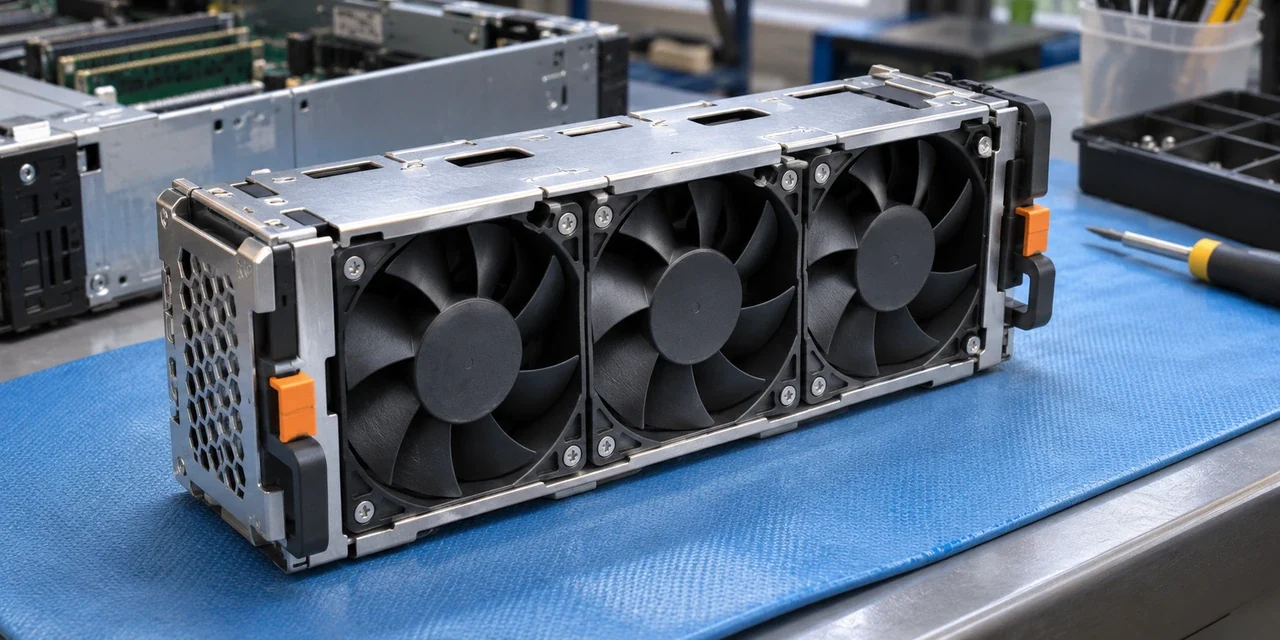
A replacement computer cooling fan is a small component with an important job. The original 2007 article discussed fans for computers and servers bought from Thailand, then promoted a particular seller. It was not about room fans, and its claims that products from one country were uniformly poor quality have been removed.
Choosing a replacement computer cooling fan
Start with the exact computer or server model and the part number on the existing component, if it can be checked safely. A fan that looks similar may differ in its mounting, connector, voltage, airflow direction or the way the system monitors it. Some equipment uses a specific fan module rather than a generic loose fan.
Consult the manufacturer’s service documentation for the exact model, or ask a qualified technician to identify the approved replacement. Check whether a part is new, refurbished or used, what the seller says about its provenance and what warranty or return terms apply. The old seller and its historical warranty were not independently verified for this rewrite.
Quality cannot be determined from the country printed on a component. Ask for clear specifications and a suitable part rather than relying on a broad claim about where it was made. If a listing cannot identify the relevant model or the seller will not answer basic compatibility questions, continue looking.
Arrange the work safely
Electrical equipment can contain hazards even after it is switched off. An Intel server service guide for one model family states that the power button does not remove AC power and that the AC cord must be unplugged before the chassis is opened or components are added or removed. Procedures differ by machine; follow the manufacturer’s instructions for the exact model, or use a qualified technician.
Before service, arrange an appropriate backup and a maintenance window if the machine is needed for work. A technician can assess whether a fan warning is caused by the fan, its connection, airflow restrictions or another fault. Replacing a part without diagnosing the problem may not resolve it.
After a repair, ask what was replaced and how the technician checked the result. Keep the invoice and part details in case the problem returns. A quiet fan is not by itself proof that the equipment is cooling correctly; use the checks recommended for that particular system.
Our account of the 2006 internet disruption concerns network connectivity rather than hardware cooling.
Questions for the seller
Ask the seller to confirm the exact part number and compatible system model in writing. Check the description of the connector and whether mounting hardware is included. A photograph of a similar fan is not a substitute for a specification. If the listing describes a refurbished component, ask how it was tested and what happens if it arrives damaged or fails early.
A different-sized fan or an improvised adaptor may affect airflow or monitoring. Do not assume that a fan with a higher advertised speed is automatically the right choice. The manufacturer’s instructions for the equipment and the technician’s assessment should come before a sales claim. Once installed, keep the old part information and the new invoice with the maintenance record.
FAQ
Is this about a room fan?
No. The old post discussed cooling fans for computers and servers.
Will any fan of the same size fit?
Not necessarily. Mounting, power, connector and system monitoring can differ.
Can I replace a server fan while it is running?
That depends on the model and its service instructions. Do not assume the procedure is safe for every machine.
Is the original seller recommended now?
No. Its current products, warranty and suitability were not verified.
More from Personal Thailand
If you enjoy practical reporting and personal perspectives on Thailand, you can support my work and explore member-only content through either platform:
- Subscribe to Personal Thailand on X — creator membership with access to applicable subscriber-only posts and benefits.
- Join or support Personal Thailand on Buy Me a Coffee — browse available memberships and support options.
These are separate services with different charges and membership benefits. Paid access may be required; subscribing on one does not automatically grant access on the other. The main information in this article is free to read above.