A web address is more than a detail at the top of a browser. It is how readers return to a story, how another website cites an article and how search engines identify an established page. On a WordPress site, that address is commonly called the permalink. Changing it may look like a small design decision, yet it can affect hundreds of old links.
In August 2009, PersonalThailand announced a move away from URLs containing dates towards shorter post-name addresses. The original advice suggested installing a plugin and changing the site settings. Today that deserves a more careful approach: preserving the original URL often protects readers and search visibility better than a large-scale redesign.
What is a WordPress permalink?
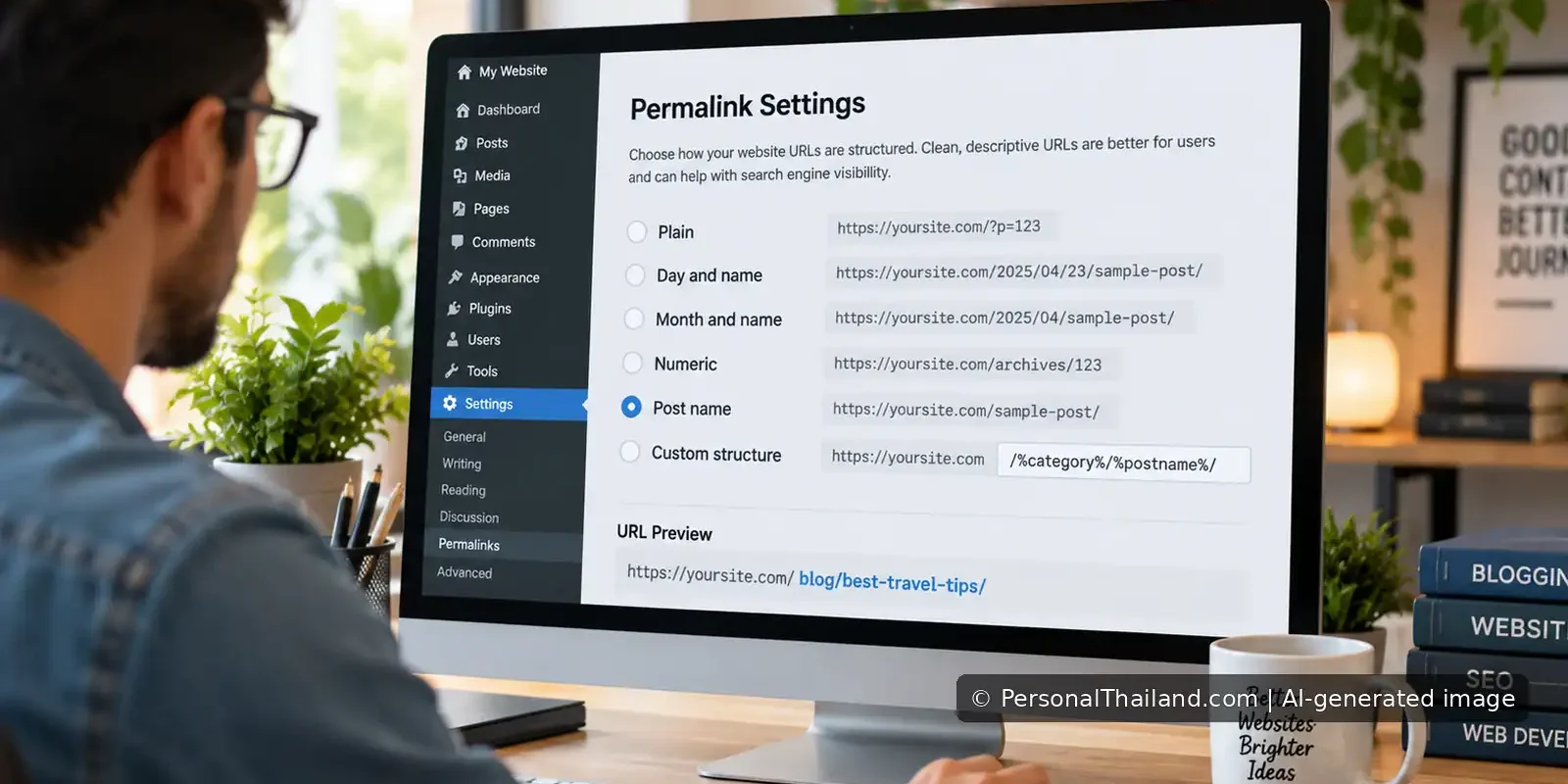
WordPress lets site owners choose URL formats. A post could have a plain ID-based address, a structure including the date or a readable address using the post name. The official WordPress permalink settings documentation explains the options and their purposes.
For example, a date-based address might contain a year and month before the title, while a post-name structure ends with a short slug. Both can serve users, but the best structure is one that is predictable and maintained consistently over time.
Why changing old URLs can be risky
Existing articles may have backlinks from newspapers, forums, blogs, newsletters and social media. Those links will continue to request the older address. If the server does not send readers to the correct new page, the visitor may see an error or end up at the home page instead of the article they wanted.
Broken links also interfere with archives and automated systems that have recorded the old address. A change can reduce trust in citations and make analytics difficult to interpret. A shorter slug is not automatically worth those costs.
Should the date be removed from an established URL?
For a completely new WordPress site, a post-name format may be a sensible choice. For a site with years of existing content, it is usually safer to preserve the current permalink even when the display title is updated. The WordPress documentation specifically emphasises the value of permanent URLs that should not change.
Rewriting a 2007 article in 2026 does not require moving it to a new address. The page can receive a new heading, corrected body, updated SEO fields and clearer sources while retaining the historical slug. Readers who saved or shared it continue to find the same post.
When a redirect really is needed
Sometimes a URL change is unavoidable: a domain is moving, a site is being reorganised or a genuine error in a slug must be fixed. In those cases, the old address needs a tested redirect to the most relevant new destination. A permanent redirect is normally used for an enduring page move, but the technical implementation depends on the web server, CMS and plugins.
The WordPress developer reference describes how the software records changed slugs on a post. This feature is not a guarantee that an entire site-wide permalink structure migration will work automatically. Never assume that a plugin or a single settings click has solved every legacy link.
A safe workflow before any mass URL change
- Export a complete backup of the database and WordPress configuration.
- Inventory all existing post URLs, including any old date-based structures and exceptional slugs.
- Identify the exact reason for changing the structure and whether the benefit is measurable.
- Plan how each old URL will redirect to its correct individual replacement.
- Test a representative sample of old links on a staging site before changing production.
- Check for redirect loops, multiple hops and pages landing at unrelated destinations.
- Update internal links and sitemaps once the new structure is operating correctly.
The goal is not to send every missing page to the home page. A person following a specific article link expects that article or an honest explanation that it no longer exists.
What about SEO titles and article dates?
The visible WordPress title, SEO title, meta description, publication date and URL are separate fields. Improving a description or correcting an article’s content does not require changing its post ID or slug. Preserve the historical publishing date unless there is a documented editorial reason and authorisation to alter it.
If an article needs a present-day context, an unobtrusive updated-date statement inside the body can help readers understand that the facts were checked recently. Avoid inventing an entirely new publication history by creating a duplicate post with a new ID.
How to test after the change
Open the page from its old URL, not just from the WordPress editing screen. Confirm that the correct page loads and check its canonical address. Review a few old external links, important internal links and the sitemap. Search-console reports can help identify new missing pages, but may take time to reflect a migration.
Record the result and retain a list of changes. It is much easier to repair a small set of broken URLs while the original mapping is still available than to reconstruct it months later.
The lesson from a 2009 blog redesign
Short, memorable URLs can be attractive. But an established website’s older addresses are part of its publishing history and reputation. For PersonalThailand, the safest default during article rewrites is to keep the original post, original permalink and original publication date while making the content genuinely better.
A successful WordPress refresh should improve what visitors find after clicking a link, not make the link itself disappear.